
Add guest users to your Dailybot org
There are many cases where you need to interact with contractors, external collaborators or people that just aren't part of the same workspace as you, which makes it hard to track their progress or daily activities to keep the visibility across the team.
That's why we've enabled a feature to add guest accounts to your DailyBot organization and invite them to Check-ins, they'll get a reminder via email and will be able to fill out their reports from DailyBot's web app.
To do so, you'll only need an admin role. Watch the video below:
Or follow these steps:
Go to the Members page in the web app and click the 3 dots next to the "Invite people" button
Select the option "Invite guest (external people)"
Enter their email and click the blue button "Invite"
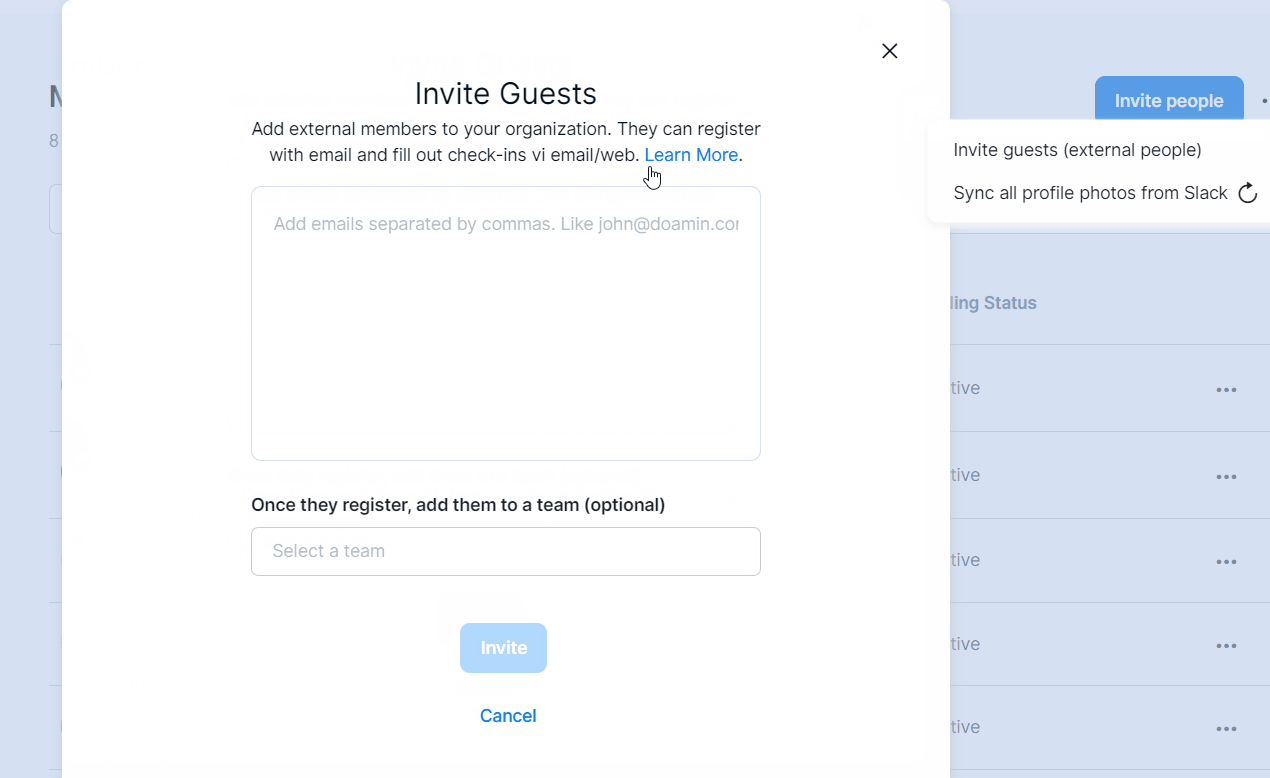
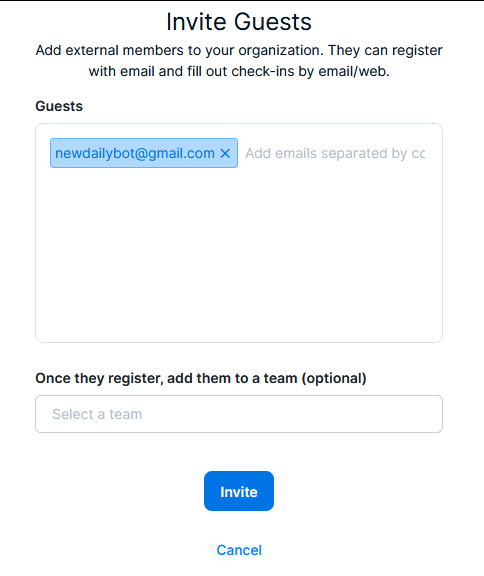
Once the invite is sent, this is the email that the external members will receive:
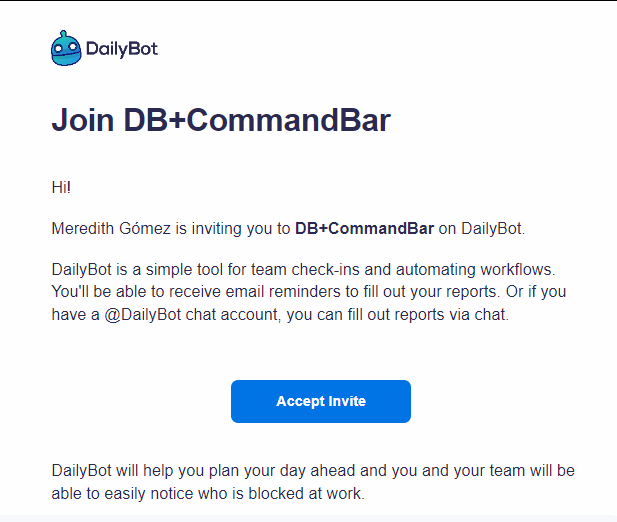
They just have to click the blue button "Accept Invite" and continue to create their DailyBot account. After that, you can add them to check-ins as you need and they'll get check-in reminders.
Keep in mind that since the external members will have an active seat in your org, they'll be billed just like the rest of your team. For further details, see: How does the billing and charges work?
If I have a Guest account, can I talk to DailyBot on via chat?
Yes, you can now receive check-in reminders, respond and interact with DailyBot via direct message in Google Chat if you’ve accepted the required permissions while creating your account.
Do I need a paid plan to use this feature?
No, however, when having a paid subscription, external users will be included in your plan seats. Check our plans here.
Got additional questions? Submit a new ticket.