
Report blockers to managers automatically
💡 You must have an existing check-in that support blockers to set up this automation.
With the help of Dailybot Automations, you can report blockers to managers automatically without ever leaving your chat. Learn how to do so in six easy steps (a 3-minute job):
Step 1
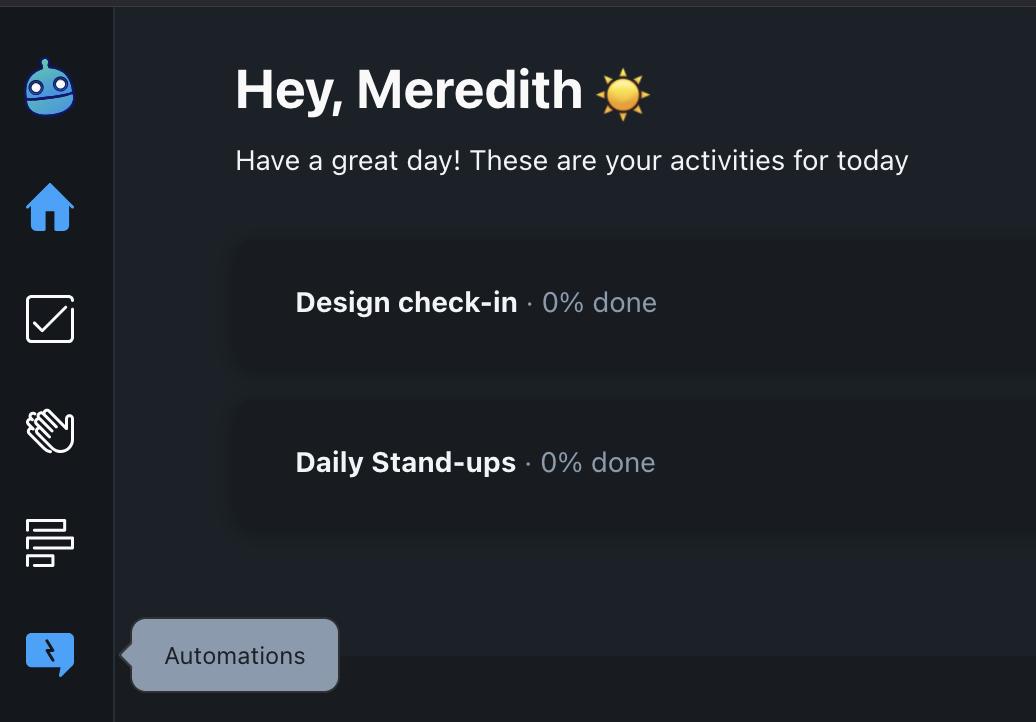
Go to the main menu and click Automations
Step 2
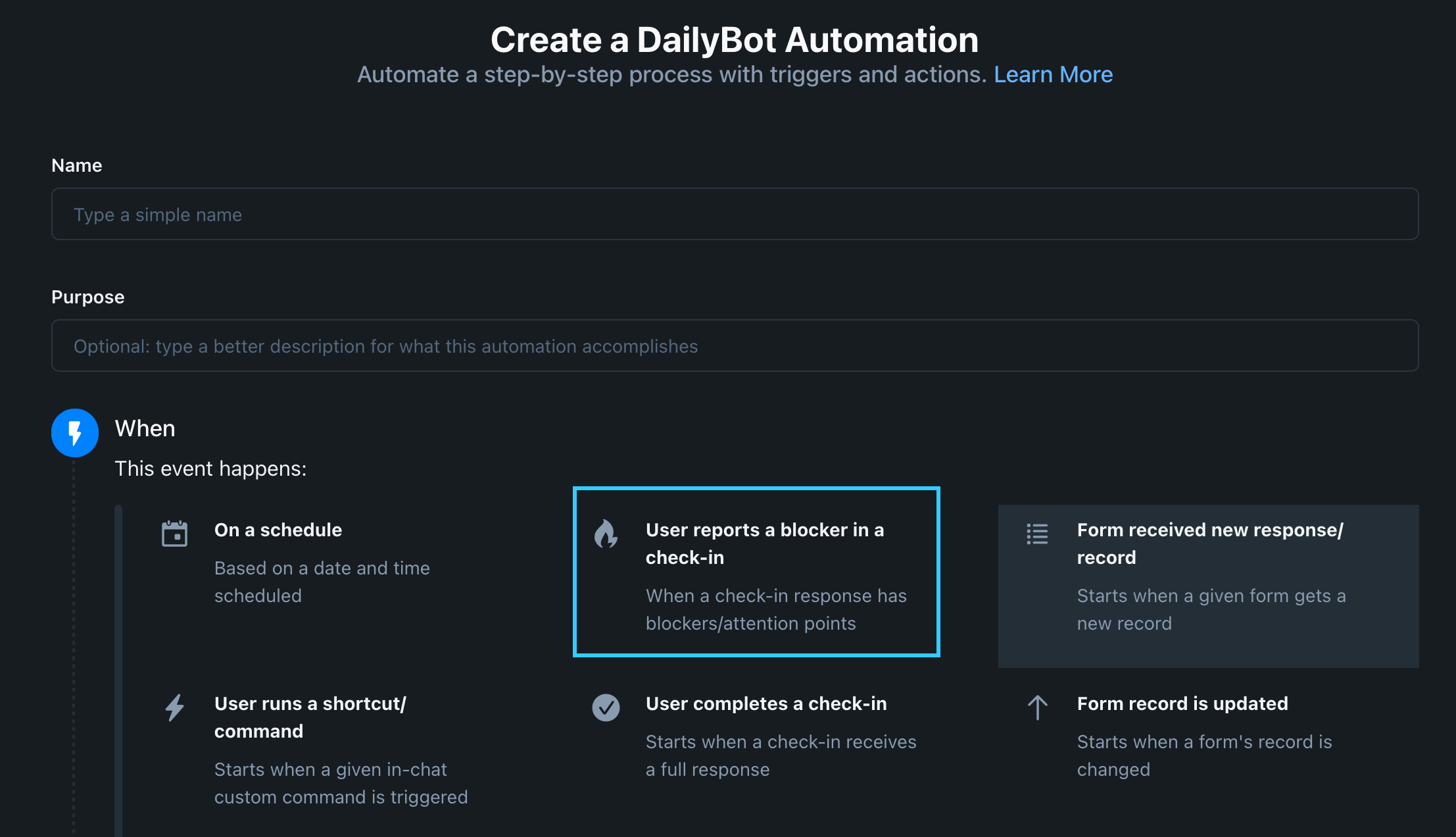
Select the tab Automations in the top right side of your screen, then click Create Automation

Step 3
In the new wizard, fill out the basic details of your automation, including selecting the trigger "User reports a blocker in a check-in"
Step 4
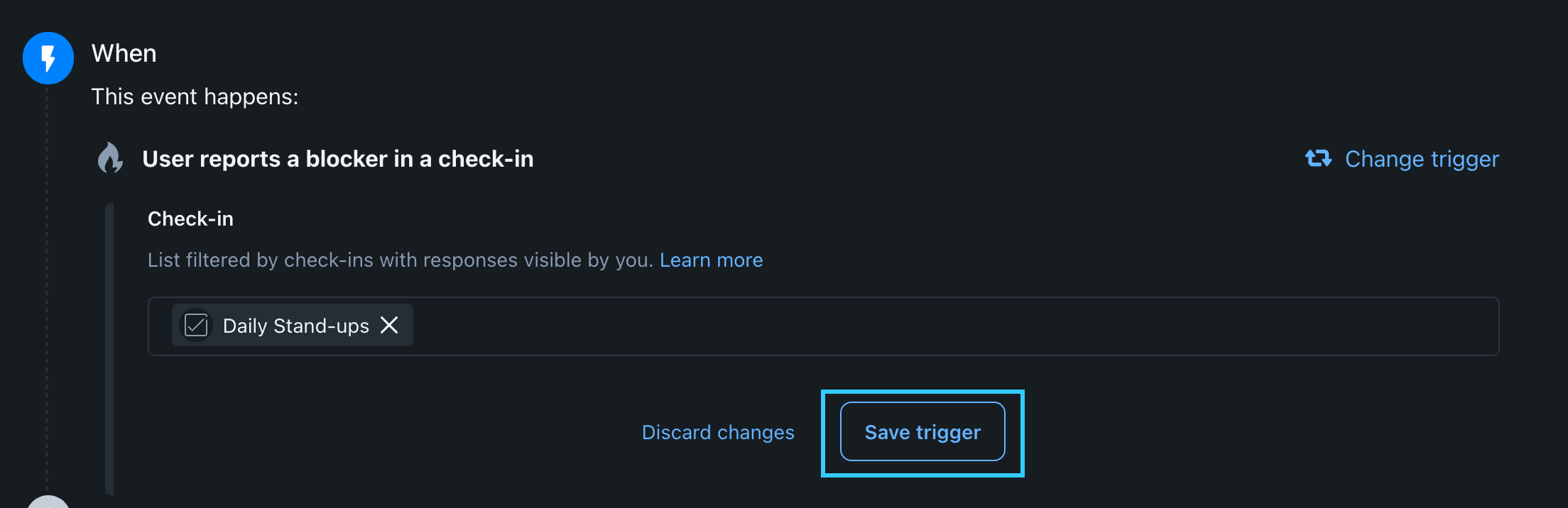
Select the check-in you want to use for blocker reporting from the search bar, then click Save trigger
Step 5
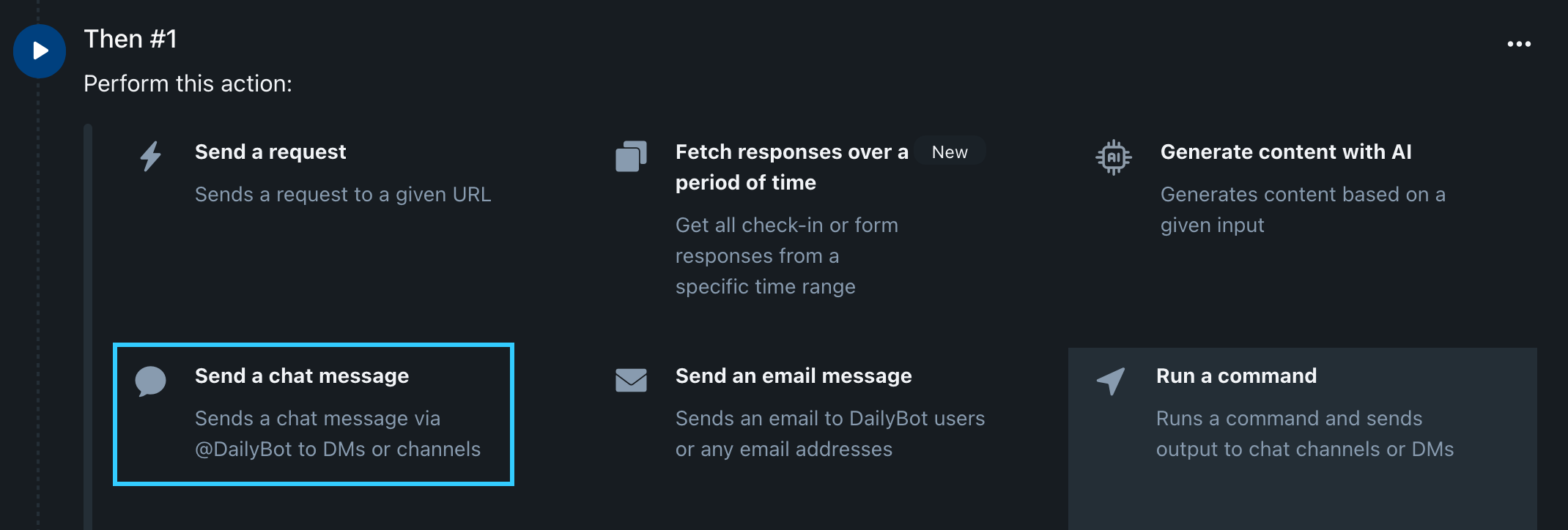
Select the action you want to use to notify the managers of all reported blockers for the day. In our case, we'll use "Send a chat message" to send DMs to the managers of our choice whenever a new blocker comes in for the check-in we selected above.
Step 6
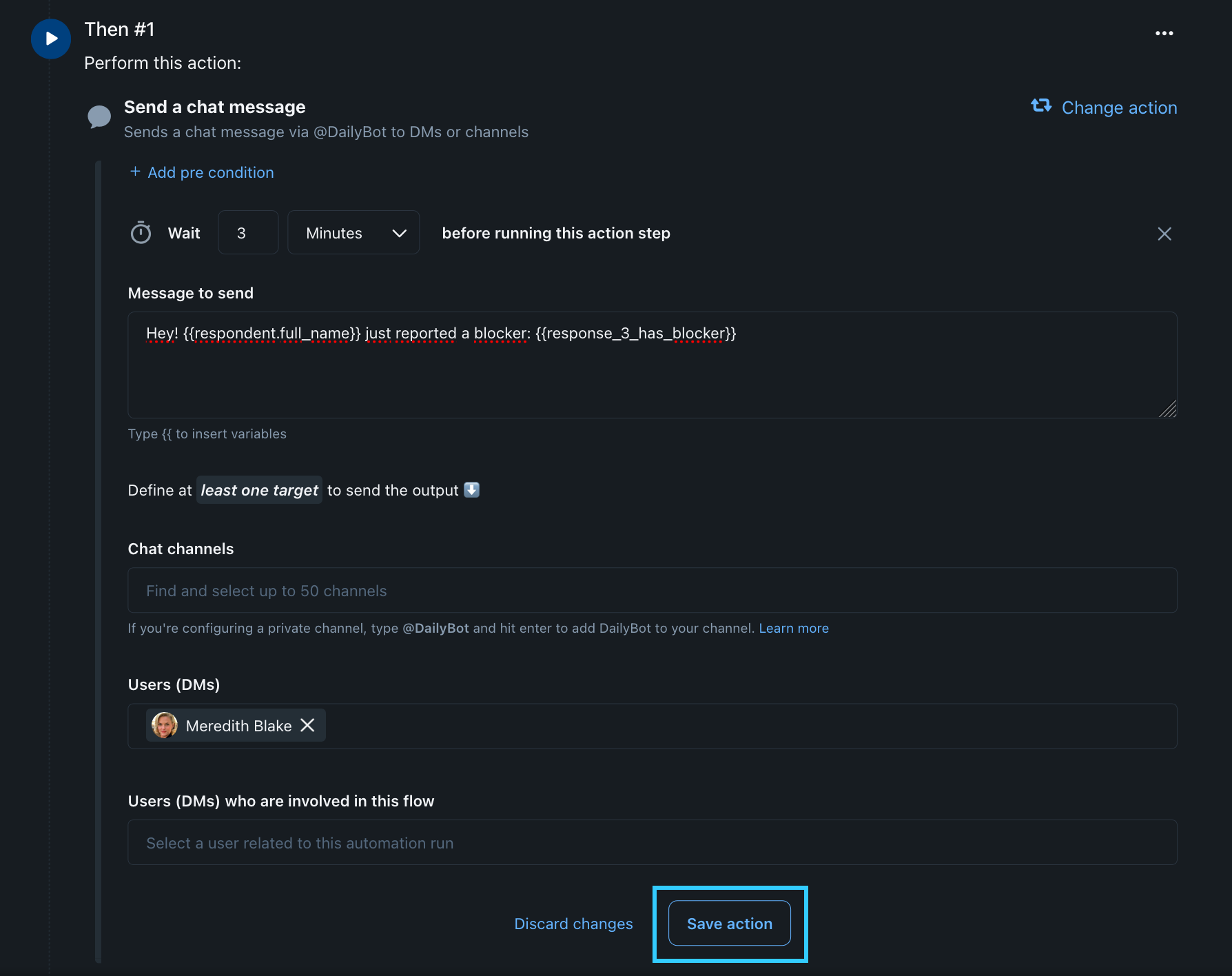
Add a message letting the manager(s) know that a new blocker was just submitted to a check-in they supervise. We're going to add a 3-minute delay in our example to make sure that the message comes after the report is submitted, just not right after.
In "People or teams (who will receive the message)" we search for the name(s) of the manager(s) involved in this workflow before we hit Save Action.
You can save your workflow now! It will start running immediately and it will notify the people you selected of incoming blockers moving forward. You're on a roll.